

WhatsApp supported Android versions shifted this year, and plenty of people only found out when a warning popped up on their screen. If your phone is a few years old, or an older handset you pulled out of a drawer for your parents, this is worth two minutes of your time.
Here’s the short version. WhatsApp now needs Android 6.0 or newer. The rest of this article explains what that means, who it affects and what to do about it.
WhatsApp Supported Android Versions: The Quick Answer
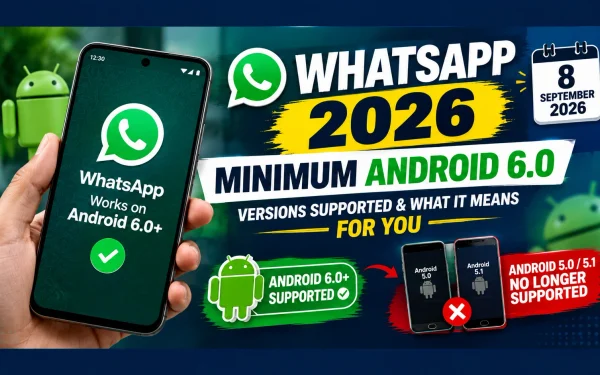
WhatsApp supported Android versions now start at Android 6.0 Marshmallow. Anything older, meaning Android 5.1 and Android 5.0 Lollipop, lost support on September 8, 2026. Phones on Android 6.0, 7.0, 8.0 and every newer release continue to work normally, and those users don’t need to do anything.
| Android Version | Release Era | WhatsApp Status (Oct 2026) |
|---|---|---|
| Android 4.4 and below | 2013 and earlier | Not supported |
| Android 5.0 Lollipop | 2014 | Support ended Sept 8, 2026 |
| Android 5.1 Lollipop | 2015 | Support ended Sept 8, 2026 |
| Android 6.0 Marshmallow | 2015 | Supported (current minimum) |
| Android 7.0 to 9.0 | 2016 to 2018 | Supported |
| Android 10 and above | 2019 onward | Supported |
WhatsApp Minimum Requirements Explained in Plain Language
WhatsApp minimum requirements are simply the oldest version of an operating system the app is built to run on. Each time WhatsApp ships a new feature, its developers have to make sure it behaves properly on every Android version they still support. Supporting very old software slows that work down and leaves security gaps harder to close.
That is why the minimum creeps upward every year or two. It isn’t about pushing people to buy new phones. It’s about letting engineers spend their time on the versions most people actually use.
Android 6.0 Marshmallow: The New Starting Line
Android 6.0 Marshmallow came out in 2015, so the new floor is still more than a decade old. Even so, the jump from 5.1 matters, because Marshmallow introduced the permission system we all take for granted now, where an app asks before touching your camera, microphone or contacts.
If your phone runs Marshmallow or anything newer, you’re fine for now. Keep in mind that the minimum tends to rise again over time, so “fine for now” is not the same as “fine forever.”
WhatsApp Android 5.1 Support Ended: What Actually Happens
WhatsApp Android 5.1 support ended on September 8, 2026, and the same applies to Android 5.0. On those phones the app stops working, which means you can’t send or receive messages until the phone runs a supported version.
The change affects Android only. It doesn’t touch your WhatsApp account, and your chats aren’t deleted just because the phone is outdated. The data is safe as long as you move it to a supported device properly, which is covered below.
How to Check Android Version on Your Phone
Check Android version in three quick steps. Menu names vary slightly between brands, but the path is nearly identical everywhere.
- Open Settings.
- Scroll to About phone (sometimes called “About device”).
- Look for Android version. On Samsung phones, tap Software information first.
If the number is 6.0 or higher, you’re done. If it says 5.1 or 5.0, read the next section.
WhatsApp Not Working on Old Phone? Try This Order
WhatsApp not working on old phone is the most common complaint after a support cutoff. Before you assume the worst, go through these steps in order:
| Step | What to Do | Likely Outcome |
|---|---|---|
| 1 | Open Settings, then System, then Software update | Some phones can still jump to Android 6.0 or above |
| 2 | Update WhatsApp from the Play Store | Fixes minor glitches on supported phones |
| 3 | Restart the phone and reopen the app | Clears stuck sessions |
| 4 | If no update exists, plan a move to a newer phone | The only lasting fix for Android 5.x |
Be realistic about step 1. Many budget phones from the Lollipop era never received a newer release, so there may be nothing to install.
Update Android OS: When It Works and When It Doesn’t
Update Android OS only works if your manufacturer still publishes updates for that model. Check Settings for a pending update first. Avoid unofficial ROMs or random firmware downloads from unknown sites, since they can expose your phone to malware, and that risk outweighs the benefit of keeping one app running.
If no update is offered, the honest answer is that the hardware has reached the end of its useful life for messaging apps.
Backup WhatsApp Chats Before You Switch Phones
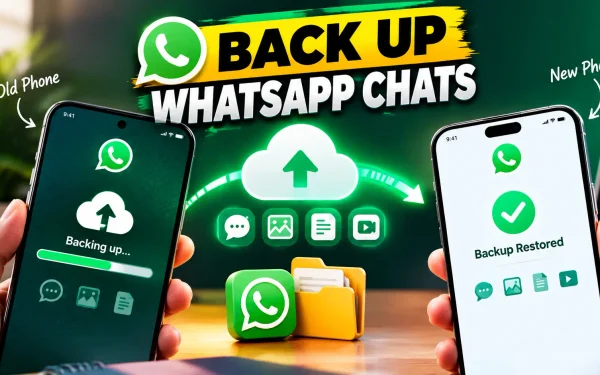
Backup WhatsApp chats before you do anything else, because this protects years of photos, voice notes and conversations.
- Go to WhatsApp, then Settings, then Chats, then Chat backup.
- Choose your Google account and tap Back up.
- Include videos only if you have enough storage.
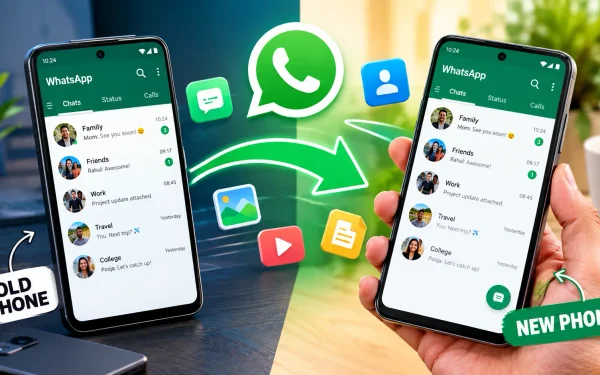
- On the new phone, install WhatsApp, log in with the same number and choose Restore when prompted.
If your old phone can still open WhatsApp, do this immediately. Once the app stops launching, taking a fresh backup gets harder.
WhatsApp Business Android Requirements
WhatsApp Business Android requirements match the main app. Both WhatsApp Messenger and WhatsApp Business now need Android 6.0 or later. Small shop owners who still run their orders from an old handset should check this first, because losing access mid-week means missed customer messages.
Outdated Android Phone: Is It Worth Keeping?
An outdated Android phone can still make calls and run simple tasks, but it’s a weak choice for banking or messaging. Old software stops receiving security patches, so known flaws stay open. If you keep one as a backup device, use it offline or for basic calling only.
A practical budget move is to buy a basic modern phone rather than a flagship. Most entry-level Android phones today ship with far newer software than WhatsApp’s minimum.
WhatsApp Linked Devices and Tablets
WhatsApp linked devices such as iPads, Android tablets and Wear OS watches can be tied to your main phone. Support for linking depends on the device and its software, so don’t assume an old tablet will keep working just because your main phone does. If a linked device stops syncing, check its operating system version first.
Quick Comparison: Supported vs Unsupported Phones
| Situation | Can You Use WhatsApp? | Best Action |
|---|---|---|
| Android 6.0 or newer | Yes | Nothing needed |
| Android 5.1 or 5.0, update available | Yes, after updating | Update, then re-check |
| Android 5.1 or 5.0, no update | No | Backup chats, then switch phones |
| Android 4.4 or older | No | Replace the phone |
Final Thoughts
WhatsApp supported Android versions will keep moving upward, so it’s smart to check your Android version once a year. If you’re on Marshmallow or newer, relax. If you’re not, back up your chats today and plan the switch before you lose access completely.
Frequently Asked Questions
1. What are the current WhatsApp supported Android versions?
WhatsApp works on Android 6.0 Marshmallow and every newer version. Android 5.0 and 5.1 stopped being supported on September 8, 2026.
2. What are the current WhatsApp minimum requirements for Android?
The minimum is Android 6.0. This applies to both WhatsApp Messenger and WhatsApp Business.
3. Is Android 6.0 Marshmallow enough to keep using WhatsApp?
Yes, for now. Marshmallow meets today’s requirement, but the minimum may rise again in future updates.
4. Why did WhatsApp Android 5.1 support end?
Newer features and security improvements have to work on every version WhatsApp supports. Dropping very old versions lets developers focus on the ones most people use.
5. How do I check Android version quickly?
Open Settings, tap About phone and read the Android version line.
6. My WhatsApp is not working on an old phone. Can I fix it?
Only if a system update to Android 6.0 or newer is available. Otherwise you’ll need a newer phone.
7. Will I lose my chats if my phone is outdated?
No. Your account and cloud backup stay intact. Backup WhatsApp chats first, then restore them on a supported phone.
8. Can I update Android OS on any old phone?
No. It depends on whether the manufacturer still releases updates for that model.
9. Do the same rules apply to WhatsApp Business?
Yes. WhatsApp Business Android requirements are identical to the standard app.
10. Does an outdated Android phone affect linked devices?
It can. Linked devices rely on their own supported software, so check each one separately.